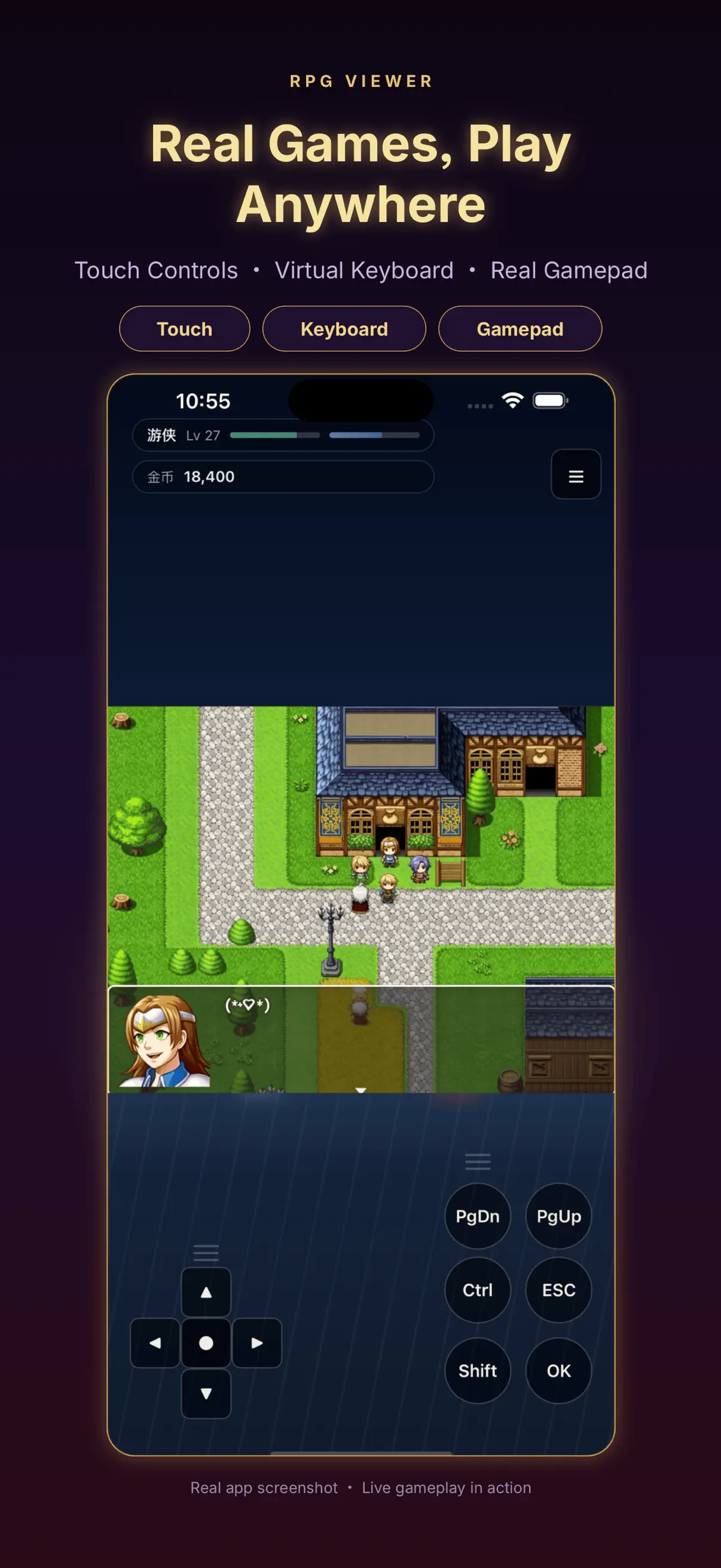
Real hardware controllers
Xbox / PS / MFi Bluetooth controllers work out of the box across MV / MZ / RGSS, with per-game button mappings saved separately.
iOS · iPhone / iPad · One-time purchase
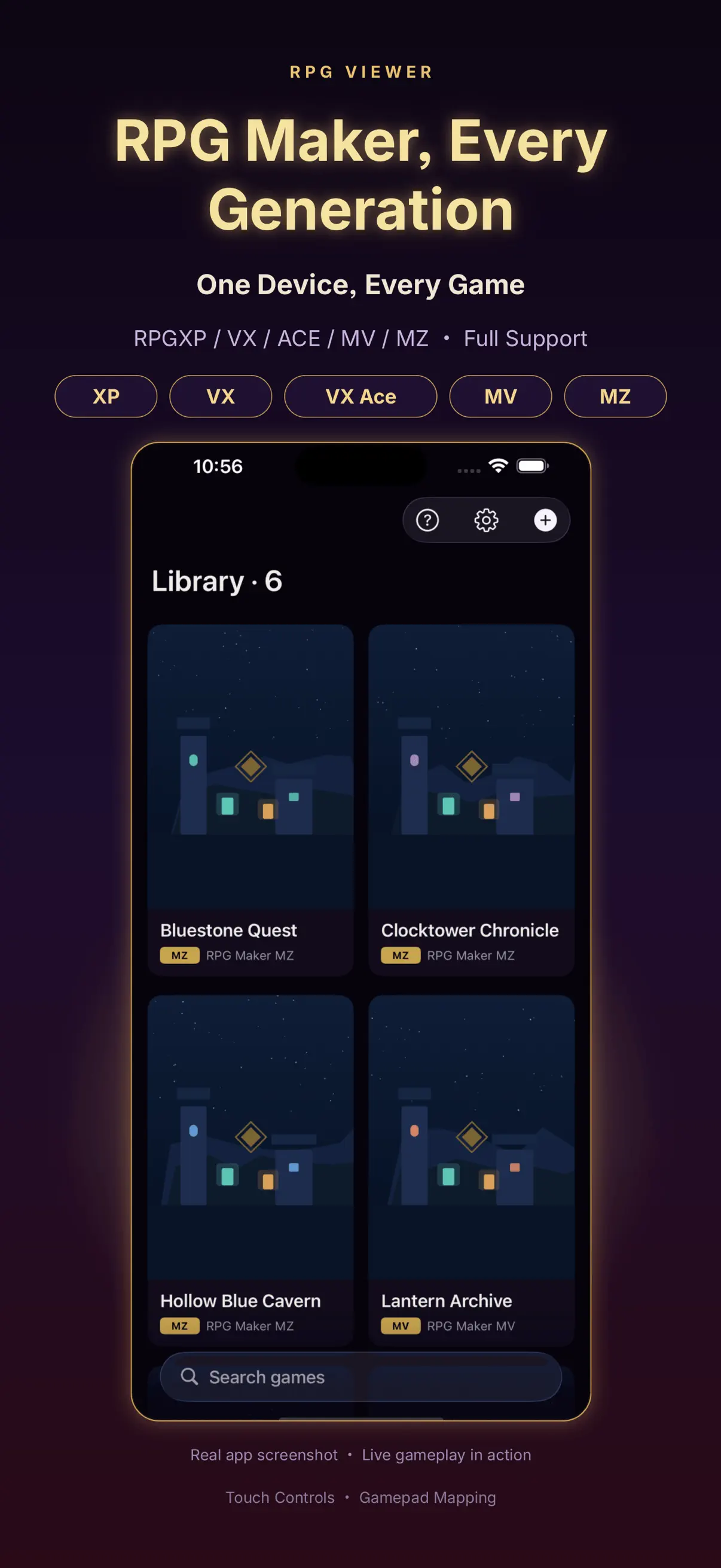
XP / VX / VX Ace / MV / MZ, plus Flash and H5. One app for the whole RPG Maker library you legally own — native engine, real controllers and save backups, all built in.
Pay once, unlock everything forever · No subscription · No feature paywalls
WHAT'S INSIDE
Importing games, choosing a launch engine, controller support, save backups and translation patches — the whole flow happens on device. No computer, no jailbreak.
Xbox / PS / MFi Bluetooth controllers work out of the box across MV / MZ / RGSS, with per-game button mappings saved separately.
A full 360° analog stick or an enlarged 8-way D-pad, both semi-transparent so they don't cover the game. Switch before you launch.
Bind any key to any in-game action — including C and PgUp.
For scenes that only respond to mouse clicks, press the Mouse key to get proper pointer input on a touchscreen.
Load an MTool-style dictionary and replace text at the display layer only — no game file is modified. Auto-discovered, with manual selection.
MV / MZ games packaged as a complete NW.js shell are recognised together with their shell-root config. No need to extract the www folder, and no black screen from missing config files.
One tap creates a zip plus a global index, so you can keep playing on another device.
A built-in visual panel for MV / MZ — breeze through the story or play it the hard way.
Ruffle brings classic Flash games back on iOS, and plain HTML5 games run too.
EXCLUSIVE
iOS requires every browser to use the system WebKit engine, so web-based MV / MZ games can behave differently. We built two launch modes and let you switch them from the game's detail page — no more choosing between stable and works-at-all.
Saves are written as real files inside the app: stable reads and writes, exportable backups whenever you want, ideal for long playthroughs and device upgrades.
Closer to how a browser actually runs the game, friendlier to some older titles and unusual plugins, with corrected display scaling.
Switch any time for the same game without losing saves. When unsure, start with A and try B if something breaks.
REAL SCREENSHOTS
Every image below is a real in-app screenshot, not a mockup. Tap to enlarge.
Every image below is a real App Store screenshot of the app. Click to enlarge.
BE HONEST · THE CAVEAT FIRST
iOS requires all browsers to use the system WebKit engine; third-party engines cannot ship on the App Store. MV / MZ are web-based, and even the official tools don't offer a fully featured mobile runtime — so a few games may show a black screen, reject a plugin or fail to play video.
We've added plenty of targeted fixes: clear errors instead of a silent black screen, compatibility logs, and an explanation (plus a skip option) when a video cannot play. But with so many games out there, we can't claim 100% coverage.
Rather than claim everything works, we fix issues one by one — your report is where the next patch comes from.
ONE-TIME PURCHASE
You get the full version, not a base app plus a pile of in-app purchases. Controllers, cheat panel, translation patches and save export are all included in the one price.
GET THE APP
Import a game folder to iPhone / iPad, pick a launch engine, connect a controller — the RPG Maker titles sitting on your hard drive are ready whenever you are.
Download on the App StoreOr search RPGViewer on the App Store
FAQ
No. Install normally from the App Store, then import an unzipped game folder using the Files app, iCloud or the folder picker. Single .zip and .swf files are supported too.
No. RPGViewer is only a runtime. Use games you obtained legally (purchased copies, official free demos, open-source or licensed titles) and follow your local laws.
In Custom Scheme mode saves are real files inside the app. Save Management exports a zip plus an index in one tap — import it on the new device and carry on.
Start with Custom Scheme for the most reliable saves and backups. If you hit a black screen or a plugin error, try HTTP Server. Switching does not affect existing saves.
Xbox / PS / MFi and other Bluetooth controllers are detected automatically, and full keyboard mapping is available. The interface ships in 13 languages, including English, Chinese, Japanese and Korean.
Read the explicit error the app shows, then try the other launch engine. If it still fails, email mveditor@126.com with the game name, what happens and a reproducible attachment; we'll build a targeted patch.